Run Playwright testing on a real browser cloud
Point your existing Playwright suite at TestingBot's grid for cross-browser Playwright testing across 6100+ real browsers and Android devices. Massive parallelism, test artifacts, GDPR-compliant with EU data residency.
Choosing a framework? See Playwright vs Selenium or Cypress vs Playwright.
- Browsers & devices
- 6100+
- Parallel sessions
- 20+
- Uptime SLA
- 99.9%
Trusted by some of the world's most innovative companies
Why run Playwright on TestingBot?
TestingBot runs your Playwright suite against real Chrome, Firefox, Edge and WebKit on real Windows, macOS and Linux machines. Microsoft Playwright Testing caps you at Chromium on Linux.
Plans include unlimited test minutes. No per-minute meter, no separate reporting fee, no surprise bills the morning after a flaky CI run.
Move past Playwright's mobile emulation and run your flows on real Android phones in our cloud, alongside the same desktop suite.
Playwright in 60 seconds

Playwright
Released 2020 · Microsoft · Apache 2.0
Playwright is an end-to-end testing framework built by Microsoft that drives Chromium, Firefox and WebKit through one API. It was created by the team that originally built Puppeteer, with cross-browser support and modern web app needs in mind.
Auto-waiting, network interception, multi-tab support and browser contexts come out of the box. The official @playwright/test runner ships with the framework, so you do not need to bolt on Mocha, Jest or PyTest unless you want to. Teams use Playwright for end-to-end testing, cross-browser testing, visual regression testing, API testing, accessibility testing and component testing across a single codebase.
- TypeScript / JavaScript / Python / Java / .NET bindings
- Auto-wait, network interception, fixtures, traces
- Chrome, Firefox, WebKit · headed and headless
- Built-in test runner, parallel workers, retries
- Video, screenshots and logs
Point your tests at the TestingBot grid
Reuse your existing Playwright code. Set the wsEndpoint to TestingBot's cloud and your tests run on real browsers, real OSes, in parallel.
playwright.config.ts
step 1
// Connect to TestingBot's Playwright cloud
import { defineConfig } from '@playwright/test';

export default defineConfig({
  use: {
    connectOptions: {
      wsEndpoint: 'wss://cloud.testingbot.com/playwright?
        key=KEY&secret=SECRET&browser=chrome',
    },
  },
  workers: 10,
  trace: 'on',
});
login.spec.ts
step 2
// Your existing Playwright test, unchanged
import { test, expect } from '@playwright/test';

test('login redirects to dashboard', async ({ page }) => {
  await page.goto('https://app.example.com/login');
  await page.getByLabel('Username').fill('jane');
  await page.getByLabel('Password').fill('••••');
  await page.getByRole('button').click();

  await expect(page).toHaveURL(/\/dashboard/);
});
See the full Playwright on TestingBot documentation for capabilities, video recording and options.
TestingBot vs Microsoft Playwright Testing
Microsoft Playwright Testing (MPT) is a useful service if you live entirely in the Microsoft stack. For everything else, TestingBot is the more complete cloud.
| Capability | TestingBot | Microsoft Playwright Testing |
|---|---|---|
| Browsers |
Real Chrome, Firefox, Edge, WebKit on real OSes
|
Chromium on Linux only
|
| Operating systems |
Real Windows, macOS and Linux
|
Windows and Linux only
|
| Pricing |
Flat plans with unlimited test minutes
|
Per-minute, separate reporting fees
|
| Real mobile devices |
Real Android phones, on demand
|
Emulation only
|
| Test private & staging environments |
Built-in secure tunnel
|
Not available
|
| EU data residency |
Yes, GDPR-compliant
|
US-region only
|
| Vendor history |
Cross-browser cloud since 2012
|
New product within Microsoft
|
Video, screenshots and logs out of the box
Every Playwright session ships with a full HD video, Playwright logs, browser console log and network HAR.
Mark sessions as passed or failed from your test code, fetch artifacts via our REST API, and ship results back to Jira, Slack or your CI of choice.
- Full HD video for every test
- Built for speed and reliability
- Console, network HAR and Playwright server logs
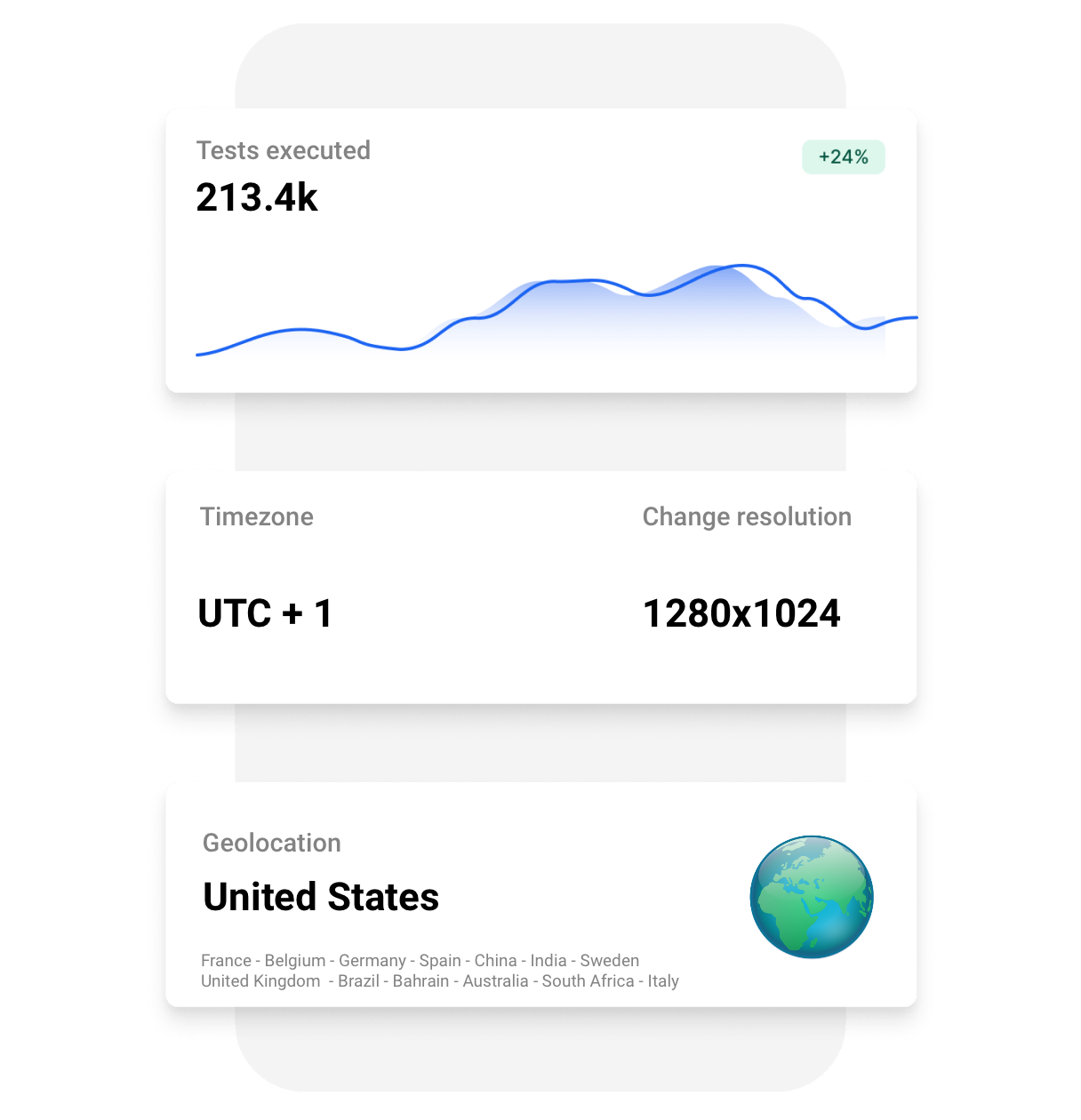
- Custom screen resolution, timezone and locale
- Browser startup flags and many more options
Playwright integrations for every stack
Playwright ships official client libraries for JavaScript, TypeScript, Python, Java and .NET. Drop them in alongside your test runner of choice.
Don't write tests manually? Use the Playwright Recorder to generate scripts and run them on the TestingBot grid.
Cut Playwright suite time from hours to minutes
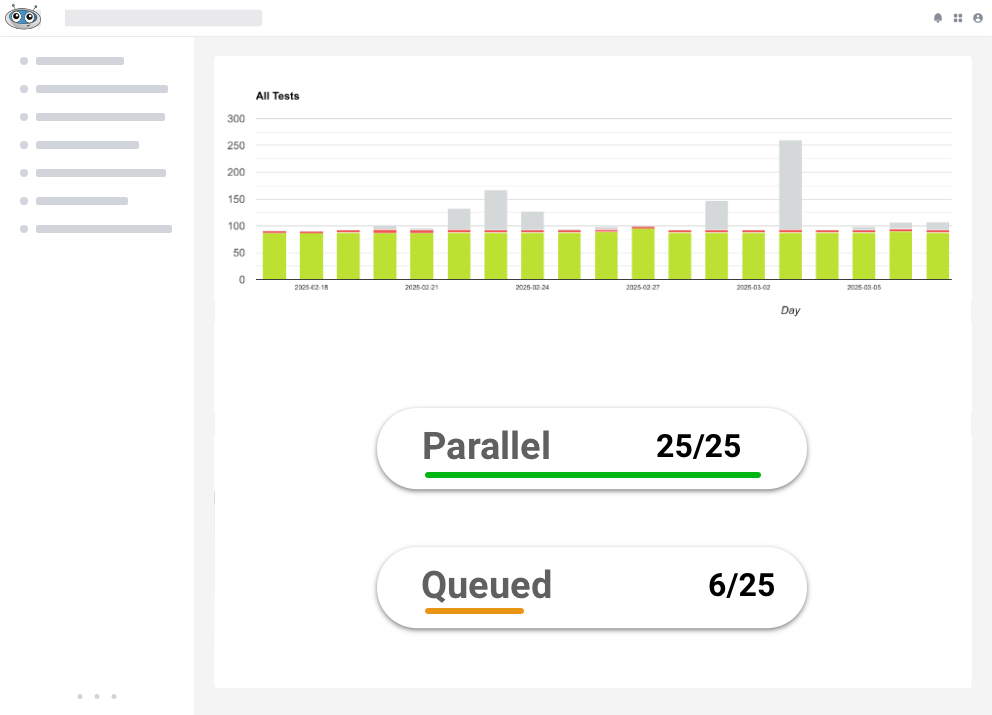
Fan out your Playwright workers across hundreds of single-use VMs running in parallel. Same test code, a fraction of the wall-clock time, no flakiness.
More on how concurrency is sized and priced: parallel testing.
- Up to 100 concurrent Playwright sessions
- Sessions start in seconds, no warm-up
- Auto-retry, native Playwright --shard support and per-worker artifacts
Test Playwright flows from 10+ countries
Run Playwright tests from real exit nodes around the world. Verify geo-targeting, geo-blocking and localisation from the United States, the United Kingdom, Germany, France, Spain, Belgium, Australia, China, Japan and more.
Real machines. Single-use. Zero leaks.
Each Playwright session runs in a brand-new, single-use virtual machine on a real operating system. The VM is destroyed the moment the test ends, so nothing is reused and nothing leaks across customers.
GDPR-compliant with EU data residency, SAML SSO and audit logs available for enterprise teams.
- Single-use VMs, wiped after every session
- GDPR-compliant, EU data residency available
- SAML SSO, audit logs and SCIM provisioning
-
1
Test connects to
cloud.testingbot.comA pristine VM is provisioned in seconds, just for your session.
-
2
Playwright drives a real browser
Real Chrome, Firefox, Edge or WebKit, never simulated, never shared.
-
3
VM destroyed the moment your test ends
Cookies, files, browser state, all wiped. Nothing is ever reused.






Playwright mobile testing on real Android devices
Skip the emulators. Run Playwright mobile testing against Chrome on real Android devices in our cloud, with the same Playwright APIs, real hardware and real sensors.
View available devices

Same Playwright APIs, real Android Chrome.
Test internal & staging apps securely
Use our secure tunnel to run Playwright tests against firewalled staging sites, internal dashboards or apps still on localhost.
Encrypted end-to-end, no inbound firewall rules required, ready out of the box for popular CI providers.
Playwright on TestingBot, frequently asked questions
Why run Playwright on TestingBot instead of locally?
Locally you are capped by your laptop or CI runner, usually 2–4 parallel browsers and only the OSes you have installed. TestingBot gives you up to 100 parallel Playwright sessions across real Chrome, Firefox, Edge and WebKit on real Windows, macOS and Linux machines, with the video and logs collected automatically.
How is TestingBot different from Microsoft Playwright Testing (MPT)?
TestingBot runs Playwright on real Chrome, Firefox, Edge and WebKit on real Windows, macOS and Linux. MPT runs Chromium on Linux only. TestingBot offers flat plans with unlimited test minutes, real Android devices and EU data residency. See the comparison on this page.
Which Playwright versions does TestingBot support?
TestingBot supports every supported Playwright version, including the latest releases the day they ship. You can pin a specific Playwright version per-test using capabilities.
Can I run Playwright tests in parallel?
Yes. Plans on TestingBot include up to 100 parallel Playwright sessions. Each session runs in its own single-use VM, so tests do not interfere with one another.
Does TestingBot provide test assets?
Fully. Every session comes with a video recording, screenshots and logs.
How do I migrate my existing Playwright tests?
Set the wsEndpoint in your playwright.config.ts to wss://cloud.testingbot.com/playwright, add your TestingBot credentials, and pick a browser, OS or device through capabilities. See our migration guide for full examples.
Can I test internal or staged sites?
Yes, install our secure tunnel and your Playwright tests can reach staging environments, localhost or anything else behind your firewall, with no inbound rules required.
Is the Playwright grid GDPR / SOC 2 compliant?
TestingBot is not SOC 2 or ISO 27001 certified. We are GDPR-compliant with EU-only data residency, registered at CSA STAR Level 1 (a published self-assessment), and our control set is modelled on ISO 27001 Annex A. Our datacenter operators hold ISO 27001. We offer SAML SSO, SCIM and audit logs on enterprise plans.
What is Playwright?
Playwright is an open-source end-to-end testing framework built by Microsoft that drives Chromium, Firefox and WebKit through a single API. It supports JavaScript, TypeScript, Python, Java and .NET, with auto-waiting, network interception, fixtures and a built-in test runner. Teams use Playwright for cross-browser testing, visual regression testing, API testing, accessibility testing and mobile-web testing. TestingBot runs Playwright on real browsers, real operating systems and real Android devices in the cloud, so you can scale Playwright testing without managing infrastructure.
Is Playwright free?
Yes, Playwright itself is free. Microsoft releases it under the Apache 2.0 license, so you can install it, write tests and run them locally at no cost. The cost question for teams is usually how to run Playwright at scale across real browsers, devices and parallel workers, which is what TestingBot provides on flat plans with unlimited test minutes.
Is Playwright open source?
Playwright is open source. The framework is maintained by Microsoft on GitHub under the Apache 2.0 license, with a public roadmap and active community. TestingBot complements the open-source framework with a managed cloud grid for real-browser, real-device and parallel Playwright testing.
Can Playwright be used for visual, accessibility and API testing?
Yes. Playwright is a general-purpose automation framework, so the same scripts that drive end-to-end UI tests can also be used for visual regression testing, accessibility audits, API testing and performance checks. On TestingBot you get full HD video, Playwright traces, console and network HAR logs for every session, which makes visual and behaviour comparisons easier.
Is TestingBot Playwright as a service?
Yes. TestingBot is hosted Playwright, or Playwright as a service: you keep your own test code and config, and we run the browsers. There is no grid to provision, no images to patch and no capacity to plan for. Point @playwright/test at our endpoint and video, traces and logs come back with every run.
Can I use TestingBot for Playwright automation in CI?
Yes, and that is the common setup. Playwright automation runs the same way locally and in CI: the same config, credentials read from environment variables, and up to 100 concurrent sessions so a full suite finishes in minutes. Worked examples exist for GitHub Actions, GitLab CI, Jenkins, CircleCI and Azure Pipelines.
Ready to scale your Playwright testing?
Read our Playwright Cloud Testing documentation and run your first test in under 5 minutes.
Start a free trial