Test on real iPhone 15
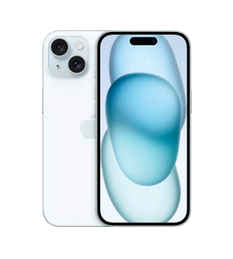
Need to validate your app on Apple iPhone 15 without buying the hardware? TestingBot rents you a real iPhone 15 by the minute. Pristine, never jailbroken, hosted in the EU, ready for Appium and XCUITest in seconds.
Trusted by some of the world's most innovative companies
What you can test on iPhone 15
A full iOS test bench on a real iPhone 15: web, native, hybrid, and everything in between.
Native & hybrid apps
Upload your .ipa and drive iPhone 15 with Appium, XCUITest or Maestro. Biometrics, push notifications and deep links included.
Appium on iOSPerformance & network
Throttle to 5G, 4G, 3G or Edge and measure cold-start, scroll smoothness and memory pressure on real iPhone 15 silicon.
Live testing on iPhoneGeolocation & locale
Spoof location, language and timezone on iPhone 15 to validate region-specific flows: payments, content rules, A/B variants.
Video, screenshots, logs
Every iPhone 15 session ships with full video, per-step screenshots, Appium logs, device console output and a downloadable report.
Selenium & Appium
Point your existing Selenium or Appium suite at a real iPhone 15 for web tests. Same scripts, real Mobile Safari rendering.
Selenium on iOSMobile Safari
Inspect, debug and screenshot the real Mobile Safari on iPhone 15, including extensions, downloads and Service Workers.
Mobile Safari testingApple iPhone 15 specifications
The exact iPhone 15 hardware your real users carry: same silicon, same display, same iOS.
- Display
- 6.1"
- Resolution
- 1179 x 2556 pixels, 19.5:9 ratio (~461 ppi density)
- Processor
- Apple A16 Bionic
- Memory
- 6GB RAM
- Battery
- 3349mAh
- Camera
- 48MP + 12MP
- iOS
- iOS 17 up to iOS 26
- Weight
- 171g, 7.80mm thickness
- Dimensions
- 147.6 x 71.6 x 7.80 mm (5.81 x 2.82 x 0.31 in)
Frequently asked questions about Apple iPhone 15
Everything you need to know about running real iPhone 15 tests in the TestingBot cloud.
When was the Apple iPhone 15 released and is it still worth testing on in 2026?
Apple released the Apple iPhone 15 in 2023, roughly 3 years ago. It still has meaningful market share, so testing on it catches regressions for users who haven't upgraded yet.
Which iOS versions can I test on Apple iPhone 15?
On TestingBot you can run iPhone 15 sessions across iOS 17 through iOS 26. Pin a specific iOS version in your Appium capabilities or pick one when starting a manual session.
What artifacts do I get from a Apple iPhone 15 test run?
Every iPhone 15 session produces a full video recording, per-step screenshots, Appium server logs, device console logs, network HAR (when enabled) and a downloadable session report.
Can I run Appium tests on Apple iPhone 15?
Yes. Point your Appium client at our hub URL, pass iPhone 15 in your capabilities, and your existing iOS test suite runs unchanged on a real device. See the Appium on iOS guide.
Does Apple iPhone 15 testing integrate with CI/CD?
Yes. TestingBot integrates with GitHub Actions, GitLab CI, Jenkins, CircleCI, Travis, Bitbucket Pipelines, Azure DevOps and Buildkite. Parallel iPhone 15 sessions let you fan out your iOS test suite for shorter feedback loops.
Can I run XCUITest on Apple iPhone 15 without a Mac?
Yes. Upload a compiled .ipa and TestingBot runs XCUITest on a real iPhone 15 from any CI runner. No local Xcode, no provisioning juggling on your end.
Can I run my Selenium suite against Apple iPhone 15?
Yes. Selenium sessions on real Mobile Safari work the same way as desktop: same script, same locators, real iOS rendering. Useful for sharing browser tests across desktop and mobile suites.
Can I use live, manual testing on Apple iPhone 15 too?
Yes. Live testing hands you an interactive iPhone 15 in your browser. Tap, type, scroll, take screenshots and capture bug reports without writing code.
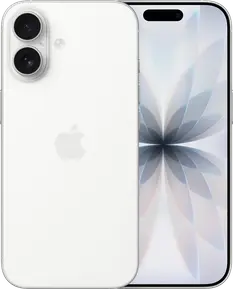
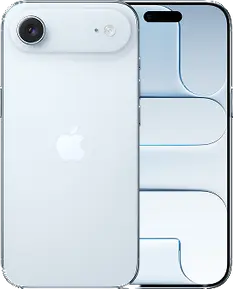
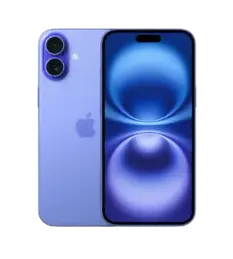
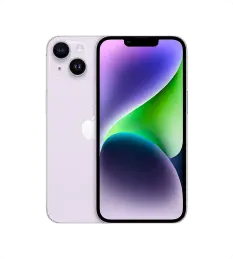
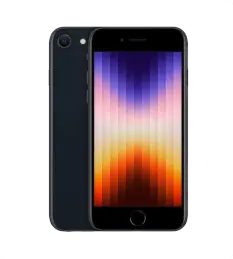
Other iPhones available for testing
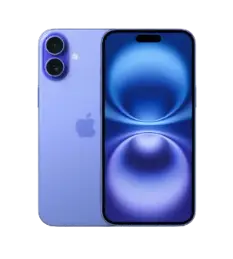
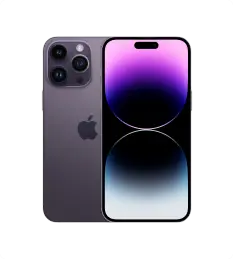
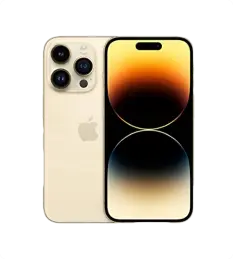
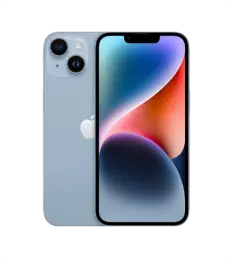
Pair your iPhone 15 coverage with adjacent models to catch device-specific regressions.

Ready to test on iPhone 15?
Start a free trial and run your first iPhone 15 test in under a minute. No credit card, no Mac required.