Zebrunner
Zebrunner offers test management with smart analysis of test results.
Run and view tests from the Zebrunner UI on TestingBot through the Zebrunner and TestingBot integration.
The Zebrunner - TestingBot integration provides Zebrunner users the following features:
- Launch TestingBot automated tests
- View test results, including screenshots, logs and a video from the Zebrunner UI
- Access to TestingBot credentials
Configuration
To configure this integration, please perform the following steps:
-
Log in to your TestingBot member dashboard and copy your TestingBot Key and TestingBot Secret.
-
Log in to Zebrunner, select a project and click Integrations.
-
Select the TestingBot integration, and enter the following details:
-
URL:
https://hub.testingbot.com/wd/hub -
Key:
YOUR TESTINGBOT KEY -
Secret:
YOUR TESTINGBOT SECRET
-
URL:
-
Click Save to save the configuration. It is now possible to launch tests on the TestingBot browser grid.
Run Test
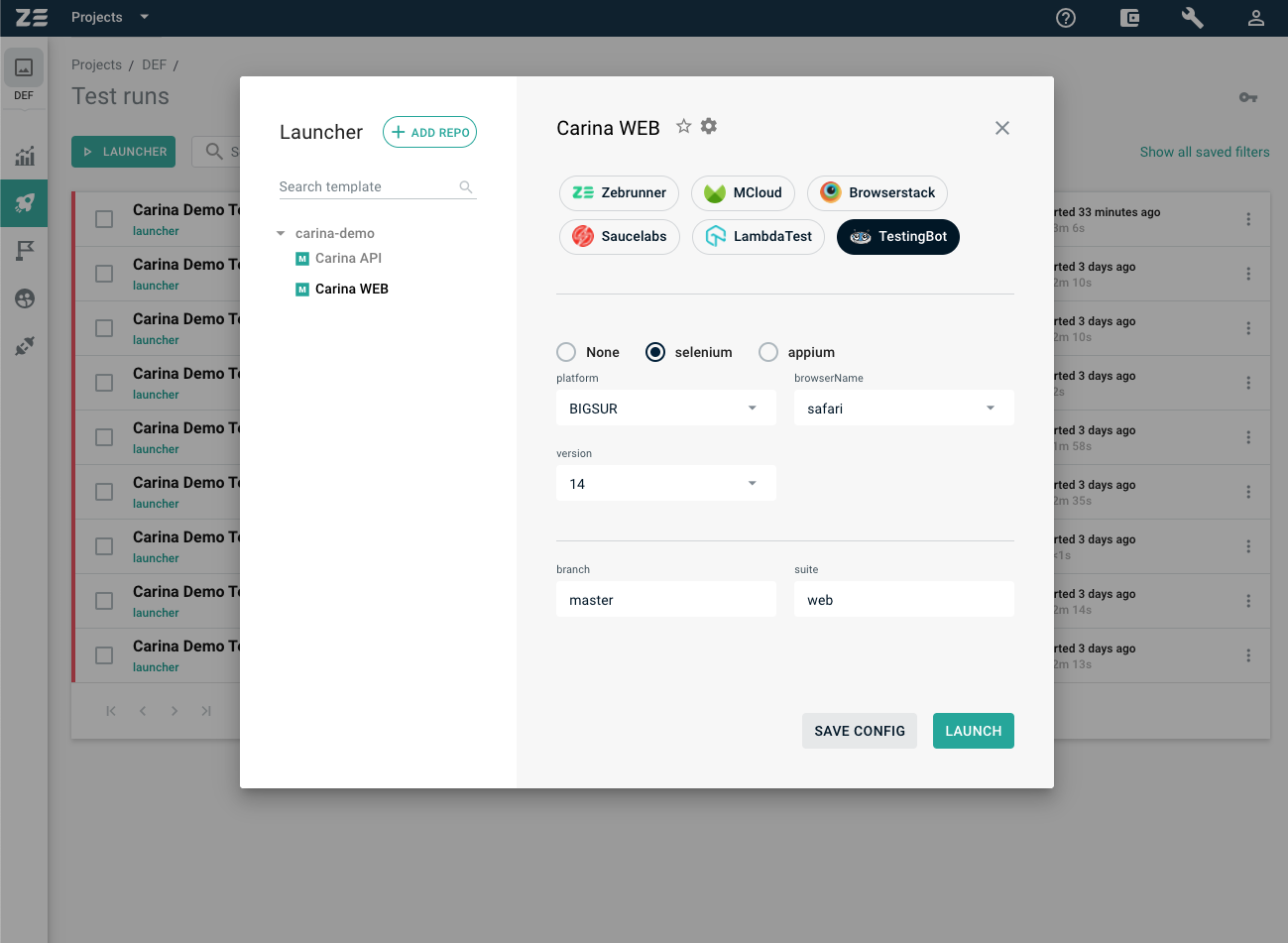
To run a test, go to the project and open the Launcher view where you can select the TestingBot integration.
You can choose a browser/version/OS combination with the dropdown menus.